In our last blog, we have created simple CDS views for our use case of a Travel Application. In this blog of SAP RAP Managed Scenario we will declare our views as root(parent) and child entities with associations and composition relationship between them to complete our data model. But first let us understand Interface – Root views and Child views.
What is an Interface View in SAP RAP?
An Interface View is a CDS view entity that represents the canonical data model for a RAP BO. It defines fields, keys, associations, and compositions that form the BO hierarchy. You can further define your view as root view or child view and establish relationship between them.
Why Interface Views Matter in RAP?
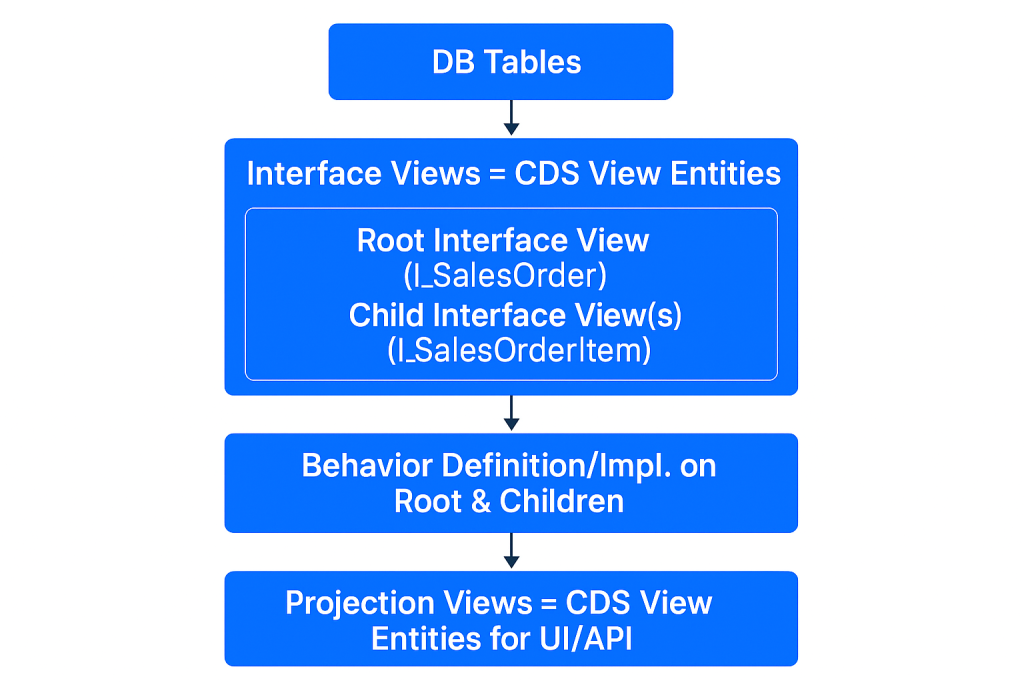
In the RAP stack, your CDS layers map like this:
Interface Views → stable domain model (canonical structure & associations)
Has a backlink association to root and a composition of root reference in behavior definition
Includes own keys and relevant foreign keys/UUIDs
How do Root and Child Views relate?
The root view represents the BO root and declares composition to child views in SAP RAP. Children model dependent parts (e.g., items), inherit lifecycle from the root, and typically use dependent locks.
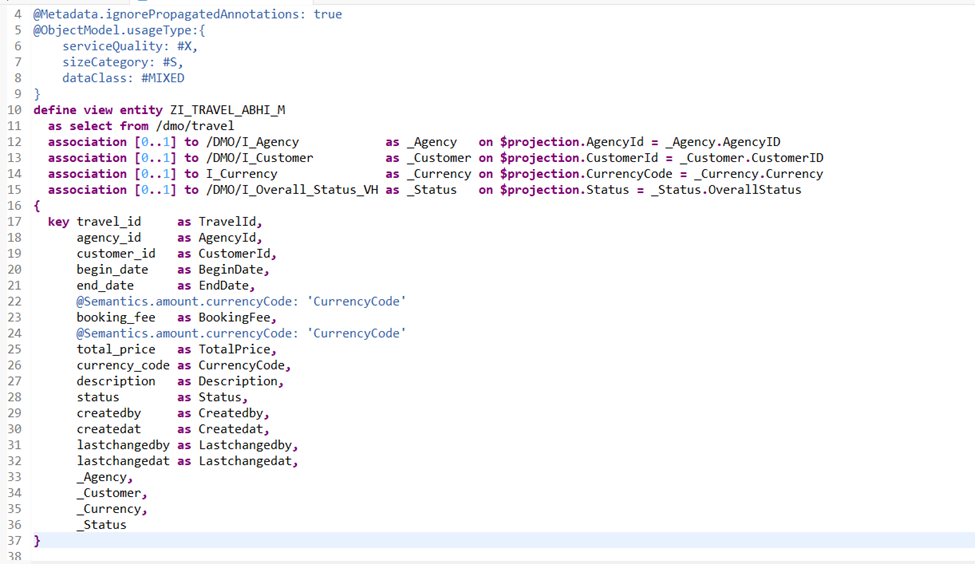
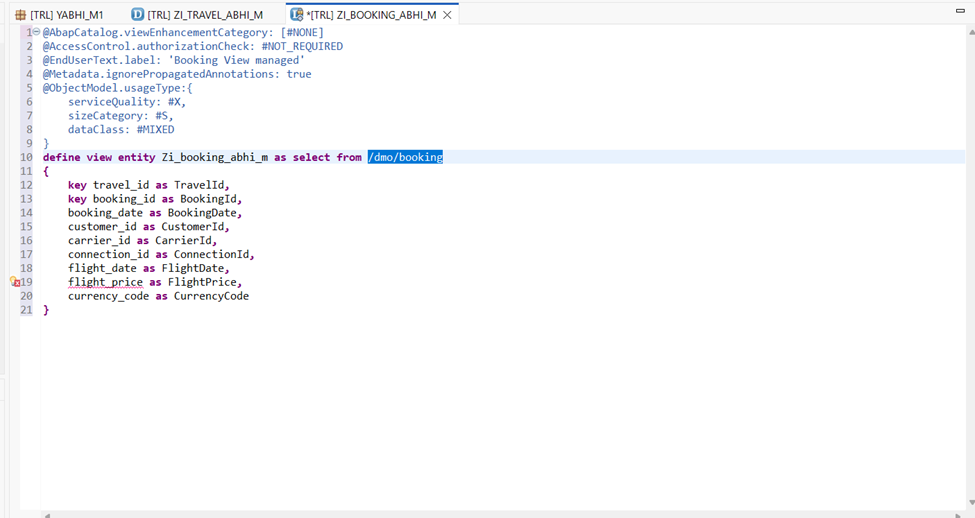
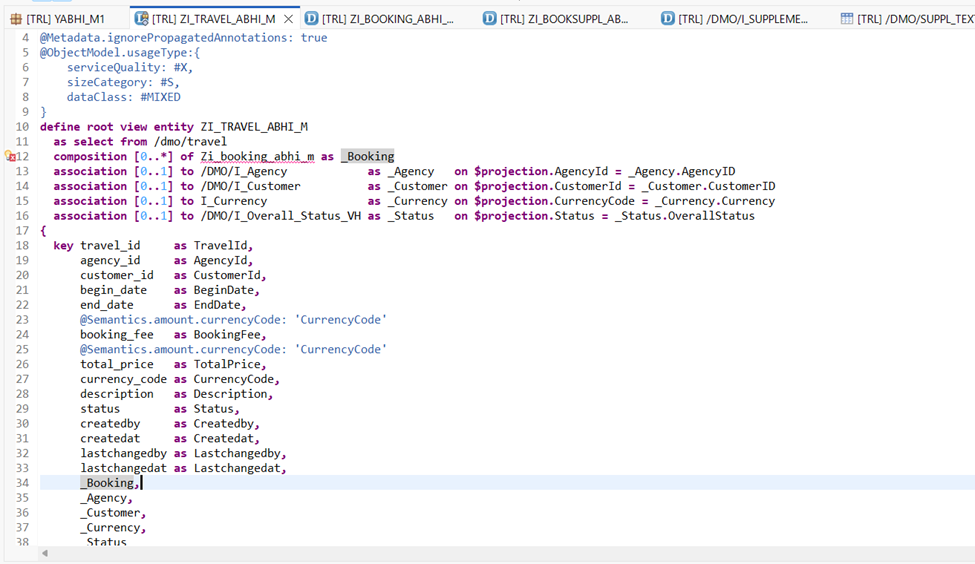
Now let us start with our application. We have created our interface view as below till now. We will make this as our root view or parent view. But before we do that we will create the child entities. Once child entities are created we will establish the relationship and activate them all at once.
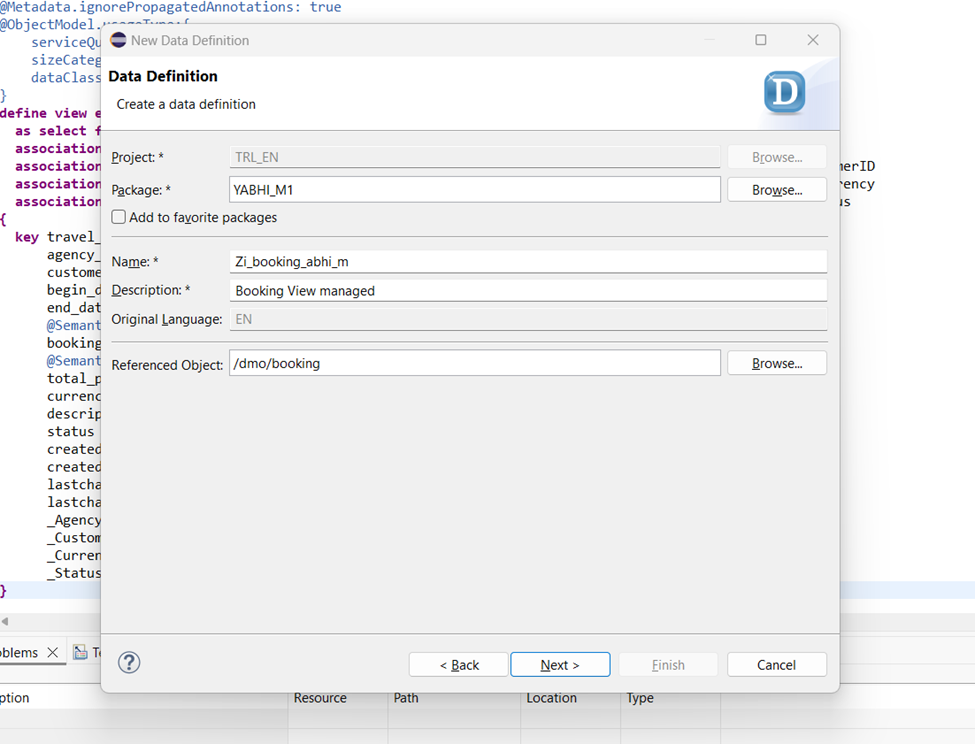
Now let us create entity on booking table – /dmo/booking and booking supplement – /dmo/booksuppl table which will be our child entity.
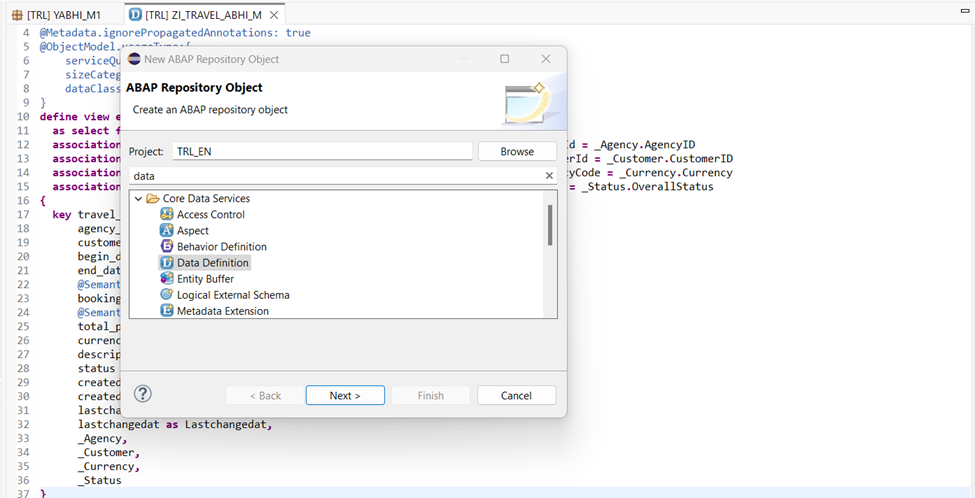
Right click on package -> New and select data definition.
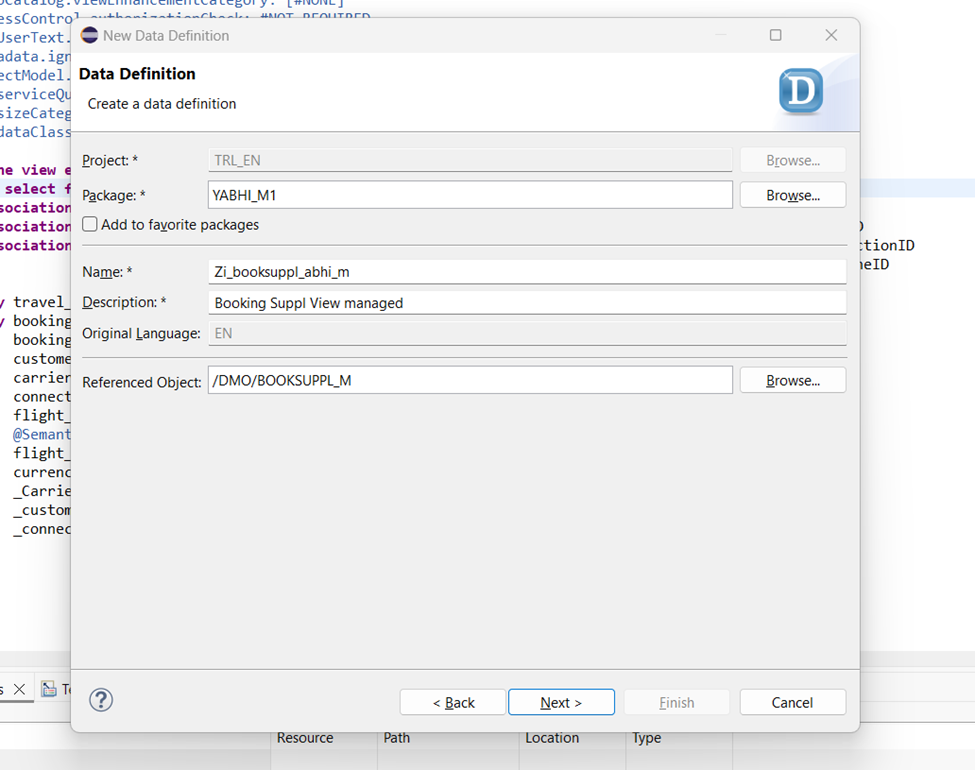
Provide the name, description and reference object on which we want our interface view to be created.
Click next and select Define view entity and finish.
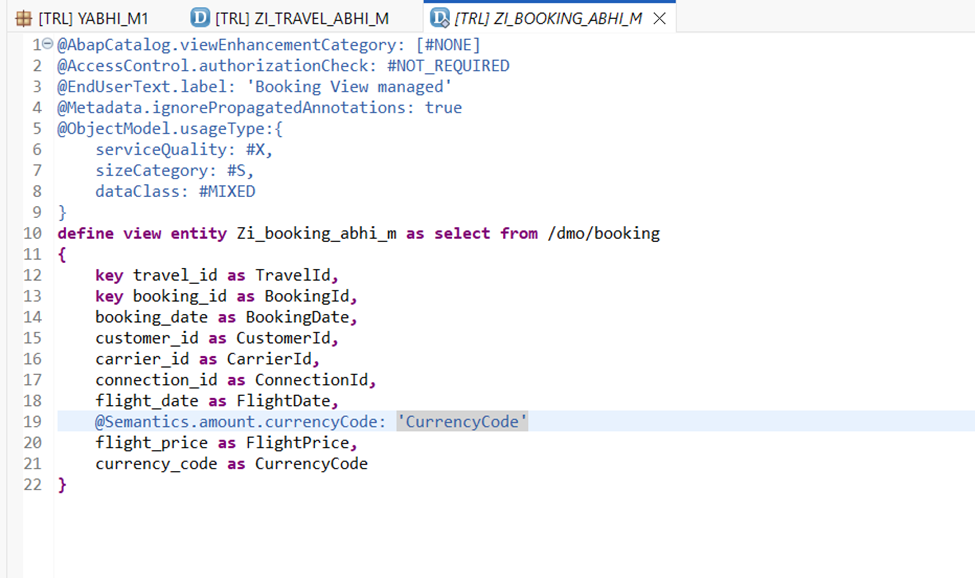
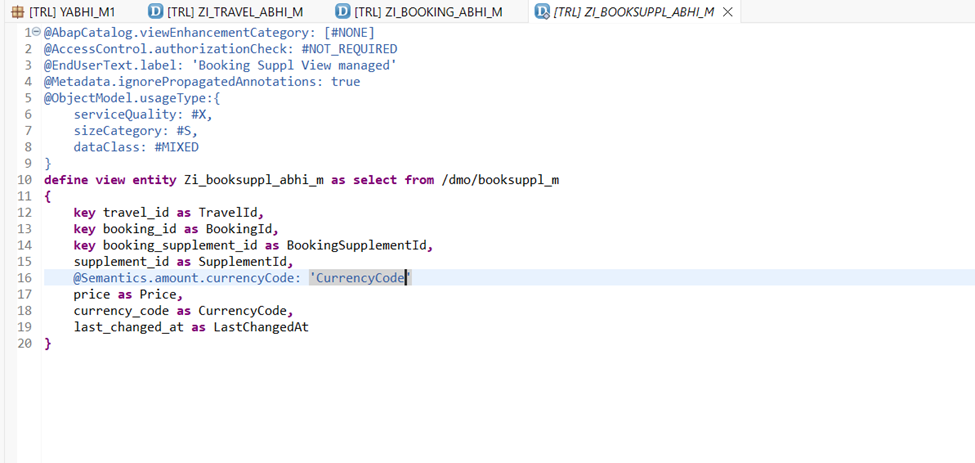
Now let us solve the errors here. We already know we need to use semantics annotations for the amount/price error.
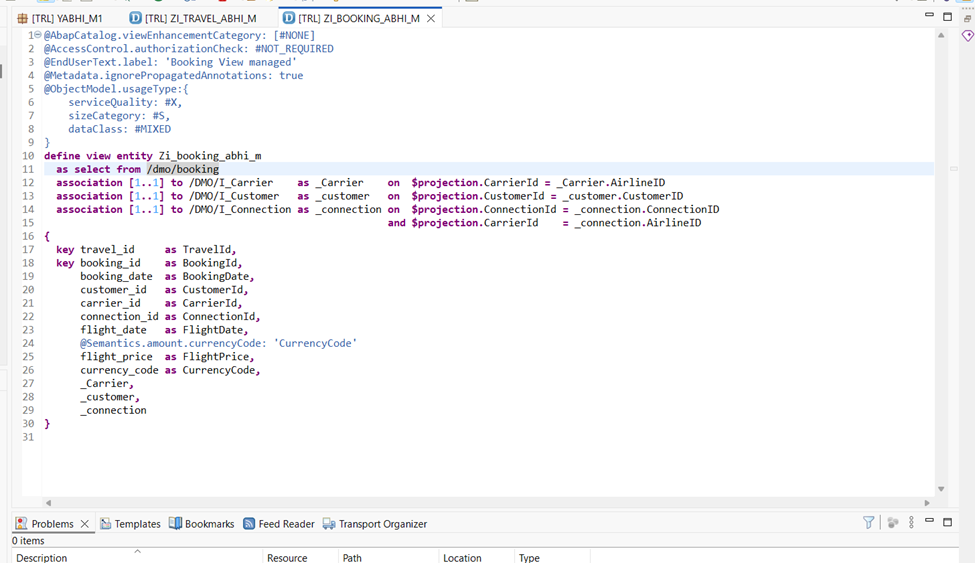
Now we will associate this view with other views to get details like customer name, carrier name because in frontend we will need to display these.
For Airline details we have view /dmo/i_carrier and for customer as /dmo/i_customer.
For Connection details we have /dmo/i_connection view.
Now In the same way we will create view for booking supplement also.
Right click on package -> New and select data definition.
Enter details and create our view same way as previously.
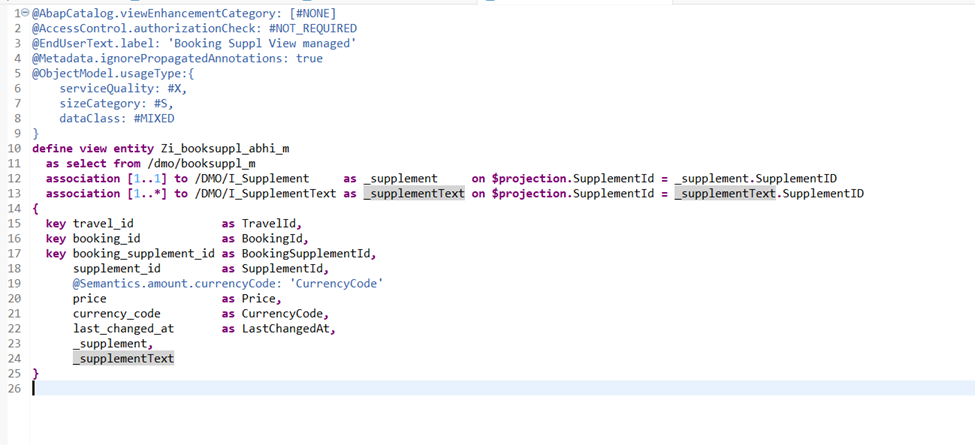
Now for booking supplement we will create associations to get booking supplement details from /DMO/I_Supplement and texts from /DMO/I_SupplementText.
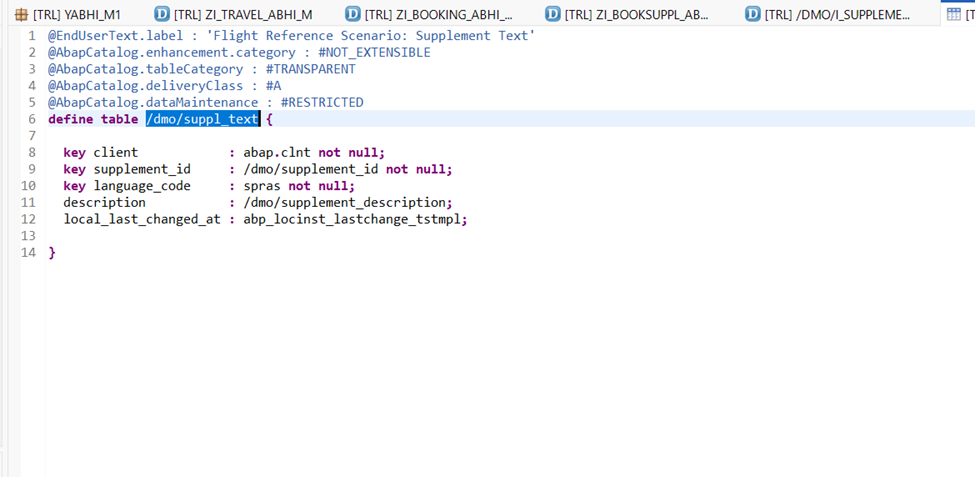
Now you might ask how we know the cardinality of an association or the fields for the on condition. Valid question but remember associations are like joins on demand. So if you open the view which you want to associate with and check its primary keys and data in the table you should get a pretty good idea. Lets take example of /DMO/I_SupplementText. Tip: You can open an object in eclipse by Ctrl+Click on that object or Ctrl+Shift+A and enter the object name.
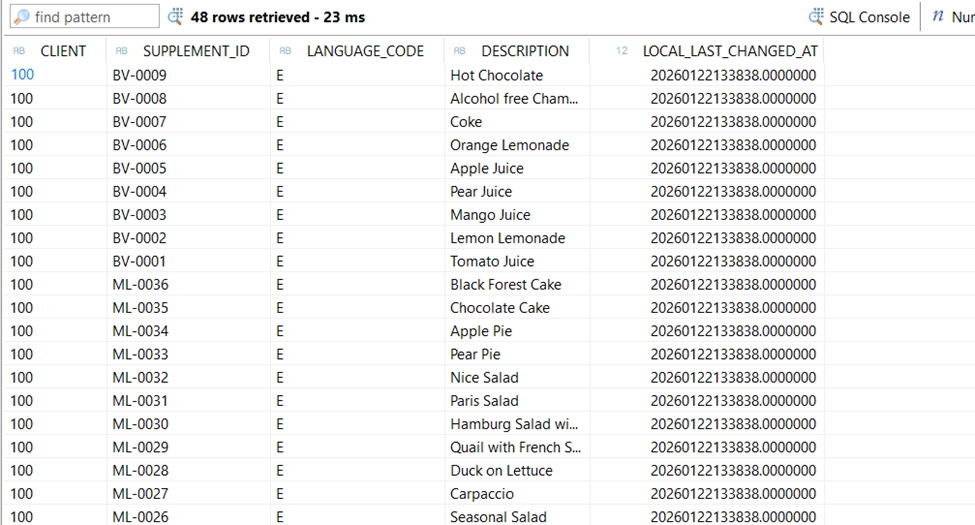
Here if we check this table has two key fields supplement_id and language_code. Let’s check the data. Press F8.
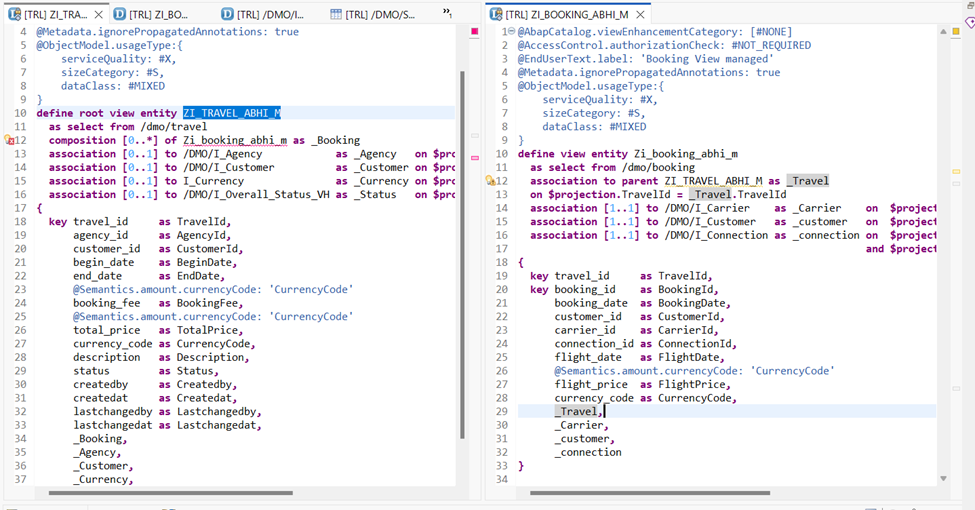
So we can have the text maintained in different languages. If we are passing only Id then there can be multiple texts or lines of this table for that supplement id. So we need to give [1..*] cardinality to it. Now let us define the relationship between our parent entity(Travel) with its child(booking) and grandchild(booking supplement). For this we will define our travel entity as root entity and declare its child.
Remember composition is not a loosely coupled relationship like association. The cardinality tells that there can be no or n number of childs or bookings for a single travel. We will still have this error until we declare this relationship at child level also.
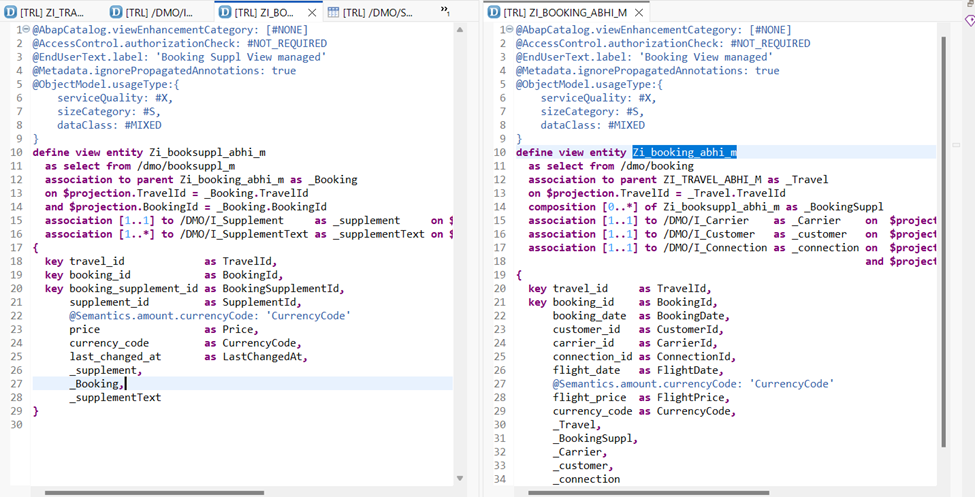
We have used association to parent in the child entity to define this relationship. Now we will try to activate both these view together. Ctrl+Shift+F3. Now let us try to establish relationship between booking and booking supplement.
In the child view we use association to parent and define composition of in the parent node same as we did for Booking and Travel views. Now we can consume our views as it is with all the fields or we can create projections views on top of these and define UI annotations for only what is needed for our application. We will understand this in our next blog.